
Lancercode Logo

Lancercode

Website, Graphic and Marketing Solution

  • Home
  • About
  • Services
  • Project
  • Pricing
  • Contact

info@lancercode.com

Request a quote

Home

All posts by : lancercode

How to open Payoneer Account in Bangladesh

How to open Payoneer Account in Bangladesh in 2021? Payoneer Account Creation

January 21, 2021
by lancercode Freelancing

What is Payoneer?

Payoneer is an American financial services company providing online money transfer, digital payment services, and working capital to customers. Account-holders can use an e-wallet, a local currency virtual bank account number, or a re-loadable prepaid MasterCard debit card to send and receive funds. With the Payoneer debit card, money earned can then be withdrawn to a bank account or used online / at points of sale. The firm specializes in the facilitation of B2B cross-border payments. In 200 countries, it makes cross-border transactions.

How to open a Payoneer account in Bangladesh 2021?

This has given rise to the popularity of Payoneer, which in Bangladesh is steadily gaining a large portion of the market share. Payoneer is sponsored by the websites most commonly used by Bangladeshi freelancers, such as Upwork, and Fiverr.

Every minute, the world is being digitalized. Bangladesh is also making some groundbreaking strides in the field of online monetary transactions, keeping pace with digital progress.

The new addition to this is the digital payment gateway. One of the most commonly used online payment gateways around the world is Payoneer. The service recently began with lots of possibilities in Bangladesh.

To build a free account at Payoneer, follow these easy steps.

Now, there are 4 steps you should complete by providing.

1) Go to Payoneer.com first. Tap ‘$50 Sign Up & Earn’. It’ll open a new tab. There’s some stuff you have to fill out here.

2) First, if you want a personal account, press Individual. Then fill in your name, email, and date of birth. The name and date of birth should be exactly as shown on your or your National ID/Passport/Driving License.

3) Now fill in the address, area, zip code, and phone number for the street. The country will be selected as Bangladesh automatically. As your card will be sent directly to your address via post, fill it up correctly. Only click Next.

4) Now, set your password and pick and write your answer to a security question. Take note of this future response. In the event you forget your password, this will help you recover your account. Here, fill in your national ID code. Only click Next.

5) You will be shown your total form of account here. The account form, country, and currency. If you like, you can add your bank account details here. Upon completion, pick the two contract buttons that say ‘I agree to the Terms and Conditions, Electronic Disclosure and Privacy Policy’ and ‘I agree to the Pricing and Fees.’ Then press Send.

Created. Completed. Within a few days, you will now have a verification email. The Payoneer Debit Card will be delivered to your address between 7 and 30 days after your account has been checked, depending on your location.


Use the link given below to register your first Payoneer account and grab a $25 rewards 

Payoneer Registration Link: http://share.payoneer.com/nav/iVuCWCK…

Benefits you can get through Payoneer Mastercard:

  1. Get a Worldwide Acceptable Mastercard.
  2. Get a Virtual Bank Account in America.
  3. You can shop anything online from anywhere, where Mastercard is supported.
  4. The US Payment Service allows you to receive payments from various companies, including PayPal, Moneybookers.
  5. Payoneer’s Master Card allows you to withdraw dollars from any MASTERCARD Supported ATM booth in any country in the world.

Is there anything else you can use the card for ???

  • Online shopping.
  • Online bill withdrawal and payment.
  • Other popular freelancing sites including Odex, Freelancer, Elance, Skrill, Fever, Google Adsense can be used to raise money and pay bills.
  • All other social networking sites including Facebook, Twitter, Google Plus, Google, Yahoo can be used to advertise your organization.

Which bank is preferred to open a Payoneer account in Bangladesh?

You can prefer any bank in Bangladesh to open a Payoneer account. They accept all the banks.

Can I get a free Payoneer Mastercard from Bangladesh?

No, you can’t. Opening a Payoneer account is free of cost. But if you need a Card you need to pay 29.95 dollars per year.

How To Activate Payoneer Card

It’s super easy to activate the card. After you have your card in your hand, open your Payoneer account using your Username (Which is usually the e-mail ID) and Password. After logging in, select ‘Prepaid Card – XXXX’ from the dropdown menu as shown in the screenshot. Now, Click the ACTIVATE button.

 Now, you need to put the 16 Digit number of your Payoneer Card and chose a 4 digit pin number. Then click ‘Activate.’

Upon clicking Activate, you will be shown a confirmation message that says ‘Your request was successfully performed.’ After successful activation of your card, you will receive an email with confirmation. Then you can use your Payoneer Card.


Requesting a Payment

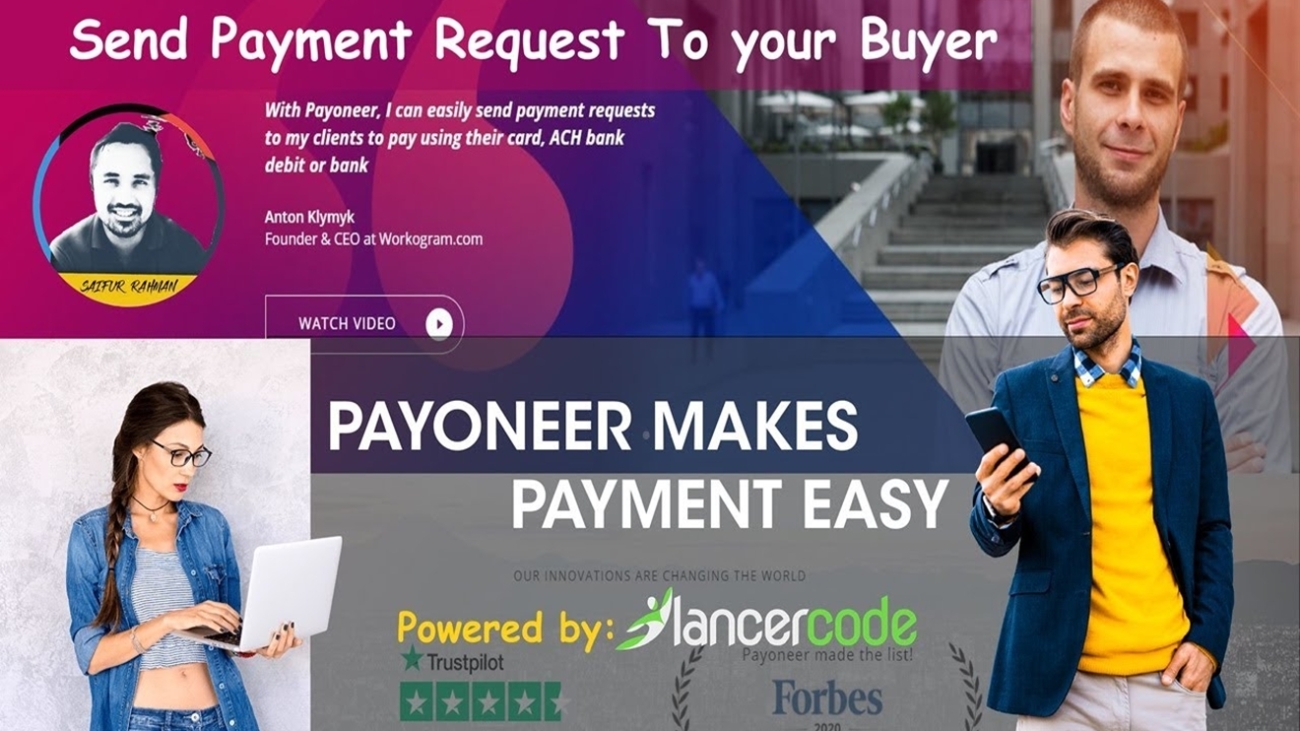
To request payment via Payoneer, log into your Payoneer account. If you do not have an account go to https://www.payoneer.com to register with your email and create an account.

After login, go to your home page and click on the three stacked lines at the top left corner of the page. They’ll be next to the Payoneer logo. This will display a page with your name and customer id. Below the name is a menu. Click on the receive button on the menu. This displays a drop-down menu with request payment, global payment, and mass payout companies. Click on request a payment. If you have received at least five thousand US Dollars, then you will be prompted to fill a form with employer or payer details.

You will need the employer’s name, company name, and website, address and city among other info. In today’s borderless world, Payoneer allows millions of businesses and professionals from more than 200 countries and territories to connect with each other and grow globally through their cross-border payment platform. With their fast, flexible, secure and low-cost solutions, market places, networks, businesses, and professionals throughout the world, and can pay and get paid globally just as easily as they do globally.

They currently have about four million customers with 1,500 employees across 21 offices in different countries and regions in the world.

Read More
Go Original, Go Professional Exclusively in FIVERR

Go Original, Go Professional Exclusively in FIVERR

March 4, 2020
by lancercode Freelancing

Fiverr is the world’s biggest commercial online platform for selling your skills to buyers all around the world and increasing your earnings rapidly. Fiverr empowers you to peruse the determination of specialists offering services, and to put arranges in only a single click. Assistance offered on Fiverr is known as a Gig.

To Start your Journey on Fiverr :

  • Sign Up
  • Create your profile and Gigs based on your skills
  • Find a service according to your skills
  • Place order/Accept Order
  • Get money in your Fiverr account after the successful completion of your work.
It is Easy to Start with a single click click here Fiverr began with a basic idea: offer assistance — or Gig — and get $5 each time you do it for the buyer. Nowadays, Gig dealers can make something other than $5. Create your account on FIVERR. Guess What it’s simple and easy just one click

TIPS TO GET STARTED

1. Try not to utilize multiple accounts

2. Spare your top choices

Once in a while scanning Fiverr resembles looking for the notorious needle in the bundle. What’s more, when you do locate the correct help (or, as is regularly the situation, another fascinating assistance with regards to your journey to locate the correct assistance), you need to ensure you remember what it is.

To keep away from that, spare them for later to a different assortment, much the same as you do on Pinterest.

3. Always contact the buyer before purchasing and be clear about you job to be done.

4. Let buyers know your requirements before placing your orders you can ask for your requirements while opening your gigs in the Fiverr Gig requirements field.

5. Try to get the best rating and you can simply get it if you can satisfy your buyers by their work done.

6. Try to provide your own Gigs title and descriptions you can follow others to grab ideas but do not copy their title or contents if you do so Fiverr will disable your account as per TOS

7. Try to deliver your order as per the time given and don’t be late otherwise your order completion rate will decrease.

8. Try to build a good relationship with your buyer this will help you to gain more jobs from the same buyer and your scope of earning will rise.

9. Do not get warnings from Fiverr and try not to share your mail id or personal links on Fiverr messages as well as don’t contact a buyer outside of Fiverr. If you do so Fiverr will take action and disable your account. If it is mandatory to work for the buyer and you need their personal details and links try to make sure Fiverr get note to it before you start your work, for details you can contact Fiverr Customers Support.

10. Be Professional and try to engage with Fiverr Community and Forum.

11. Use Fiverr App to get active 24×7 from anywhere.

12. Try not to violate Fiverr’s Terms and Policy. Not to use words contact

pay
paypal
money
email
outside of fiverr
contact
payment
social link
feedback
rating

13. Try to Create Unique Gigs that focus your skills and create impressions to buyers as well as to Fiverr.

14. Try to be active and response quick to buyers and have good practice of communication.

15. Don’t Try to access Fiverr accounts from different devices or IPs if it is not so necessary. To protect users’ privacy, user identities are kept anonymous. Requesting or providing Email addresses, Skype/IM usernames, telephone numbers, or any other personal contact details to communicate outside of Fiverr in order to circumvent or abuse the Fiverr messaging system or Fiverr platform is not permitted.

16. SEO your Gigs with effective keywords and title that relates to the skills that you will provide using that particular GIG.

17. Try to take orders that best suit your skills and you have the ability to make it done.

18. Make your Gig videos that demonstrate the skills and services you will provide creating that particular GIG. 

19. Market your gigs wherever it is possible. The best way to share your Gigs on Social Media and target audience/buyers who may need your services.

20. Never lose hope success never come in a day utilize your time in Fiverr as much as possible and send offers to buyers’ requests professionally and be clear that what buyers need and how you can help buyer provide their needs. 

Sending Custom Offers/Buyer Requests

Sending Offers allows you to be proactive and offer your services to potential buyers in a customized manner.
 
Be professional in sending offers to buyers and try to send as many as possible, practicing this regularly you will come to know the effective way to send offers to buyers’ requests.
 
This video will help you to know better.

How a good profile looks like https://fiverr.com/saifurrahman471

Check out the Best Logo Gig on Fiverr: https://www.fiverr.com/s/24y03V

It’s a well-known fact that internet outsourcing is engaging millions to develop their own professions, assume responsibility for their timetables, and live better lives—with Fiverr driving the path for such huge numbers of productive, gifted freelancers. winning dealer.

Read More
  • First
  • Previous
  • 1
  • 2

Recent Posts

  • LONG PORTFOLIO IMAGE SCROLLING USING ELEMENTOR | WORDPRESS ELEMENTOR PRO TUTORIAL
  • Troubleshooting WordPress Email Issues and Fixing Them with SMTP Mail
  • Streamline Your WordPress Website Migration
  • The Importance of a Logo: Unveiling Your Brand’s Identity
  • Exploring the Power of Elementor and Elementor Pro Plugin for WordPress

Recent Comments

    Woodruff Counseling-01
    demo-attachment-108-25-Free-Minimalistic-Logo-Templates-Logo-12
    demo-attachment-104-25-Free-Minimalistic-Logo-Templa1tes-Logo-11
    demo-attachment-107-25-Free-Minimalistic-Logo-Templates-Logo-08
    demo-attachment-106-25-Free-Minimalistic-Logo-Templates-Logo-04
    demo-attachment-105-25-Free-Minimalistic-Logo-Templates-Logo-03

    Follow us in Facebook

    Useful Links

    • Blog
    • Pricing
    • Faq
    • Reviews
    • Privacy Policy

    Contact us

    Have An Idea Or Project? Let's Talk

    Contact us

    +8801754462042

    info@lancercode.com

    Kha-214/E Pragati Tower, Pragati Sarani, Merul Badda,1212

    All Right Reserved © 2026 Lancercode. | License Agreement
    Shopping Basket